

 6 kinds possible reward kinds
 20 rewards per letter, all or nothing
 10 attempts failed attempts lock the command
 32 characters per code, case normalised
Overview
The mail is your mailbox in the bot: the team leaves rewards, messages and gifts there, and you find them here at your own pace.
A letter can carry up to 20 rewards, and there are 6 kinds of items to receive, from materials to pets.
A code gives a reward without going through a letter: you type it, the bot checks it, and it grants what it promises.
Getting started
Open your mailbox
Read your letters one by one. Each letter tells you what it offers before you take it.
>mailClaim
A letter that carries a reward is claimed with one click, with everything it holds.
Type a code
A code is typed directly, with no letter. You can only use it once.
>codeSet the alerts
Choose whether the bot sends you a private message when a letter arrives.
>mail settings
How it works
A letter goes through three steps: it arrives in your mailbox, you read it, then you claim it. No reward drops without you asking for it.
A code is at most 32 characters long and only works when four conditions are met: its expiry date, your maximum level, the stock left and the age of your account. A secret code never shows up in the list.
A failed code counts. After 10 failures in 5 minutes, the bot stops taking your codes until the window clears.
Out of 6 refusal reasons, 3 tell you exactly why your code was refused. The other 3 fall into one shared message, so read the code's conditions again before retrying.
A deleted letter is gone for good after 30 days in the trash.
Six kinds of reward
A letter carries up to 20, each kind served by the module that knows how to make it.
 Materials
- Free quantity Resources in stacks, and tools forged at the chosen quality, tempered up to what the tool tolerates.
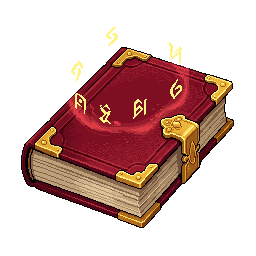 Enchantments
- At the chosen level A book at the level asked, never above the maximum. An essence can guarantee its rarity.
- Companions
- With its appearance A companion of the chosen species, with the appearance attached to the send if it has one.
A kind whose module is not loaded refuses the whole letter: it stays, and can be claimed later.The life of a letter
A letter arrives among 5 types, is read, claimed, then put away.
- 01 It arrives
Invitations and organization announcements warn by private message, unless the notice is off.
Referrals have their own message. Broadcasts none. - 02
 It is read
Opening the letter marks it read.
Its rewards stay to claim. - 03
 It is claimed
One click pays everything in a single transaction.
20 rewards at most, all or nothing. - 04
 It is put away
Nothing happens on its own, and a deleted letter goes to the bin.
Purged after 30 days, unless the letter is kept.
Six ways to refuse a code
Level too high, account too old, code already used: named, they do not count against the player. Disabled, expired, sold out: one shared message, which counts as an attempt.
 Named as they are Merged into one message A refusal that is named does not fill the gauge. A lost race pays nothing: stock is taken before the payout.
The guard against guessing
A code is a short secret, typed in a public channel: empty or too long, it is refused without counting.
Sliding window >codeIt slides with each attempt. An accepted code empties the gauge.
- Attempts counted 10 failures per player
- Length 32 characters
Only merged refusals and unknown codes count.Tips
- Look for public codes
>code listshows the public codes and your history. A secret code never appears there, and its answer stays in the channel where you typed it. - Check before sending
Every failed try weighs on the 5-minute window. Check the spelling of the code before you send it.
- Turn off the alert
>mail settingsor>notificationsturn off the private message that announces a letter. The mailbox stays open.
Reference
The exact figures, open them when you need them.
Commands
| Command | Effect |
|---|---|
>mail | Manage your mailbox |
>mail inbox | View your inbox |
>mail read | Read a specific message in your inbox |
>mail delete | Delete a specific message from your inbox |
>mail settings | Manage your mail notification settings |
>code | Use a reward code |
>code list | List the codes available right now |
>notifications | Manage which notifications the bot sends you |
Going further
Mail touches other systems. Each one has its own page.

what the game asks of you every day
the milestones that reward your progress

the settings that tidy up the rest